Quest and profession protection
Gold quest markers and profession icons make requirements visible. Grey former quest materials are informational only.
Inventory & quests · WoW Forever
Mark quest requirements and materials for learned recipes and protect them from Loot Bag sales.
Options & getting started: /fkeep
 WOW FOREVER · VERSION 1.6.7
THE PROJECT
Forever Keep recognises materials for active quests and ingredients for recipes you already know. Profession windows are captured automatically when opened; tooltips name the related quests, professions and recipes.
FEATURE ILLUSTRATIONS
Illustrated feature examples, not game screenshots. The actual appearance depends on your chosen design, settings and available game functions.
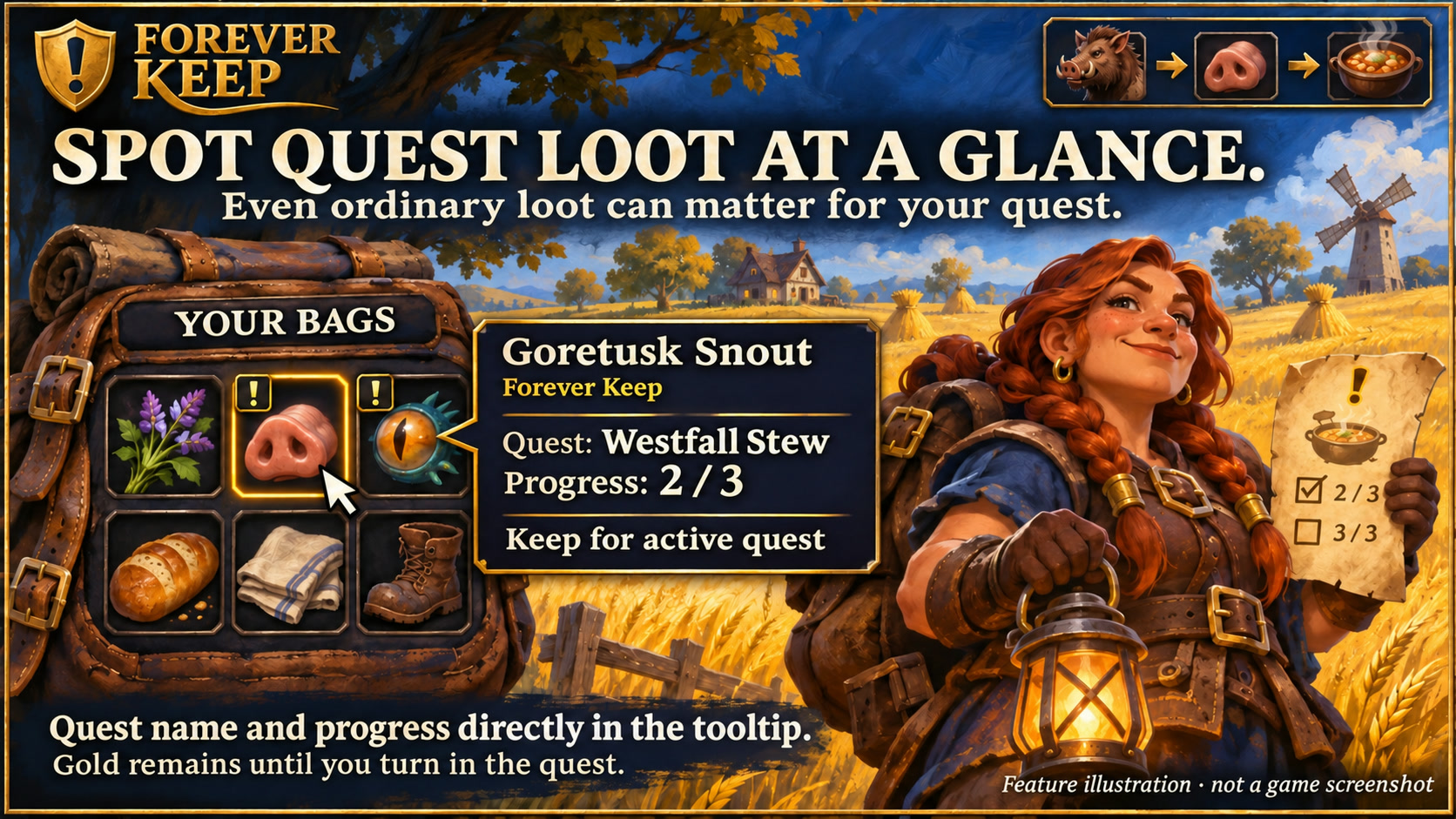
See the quest name and progress for recognized materials directly in the tooltip. Feature illustration, not a game screenshot.
Open full size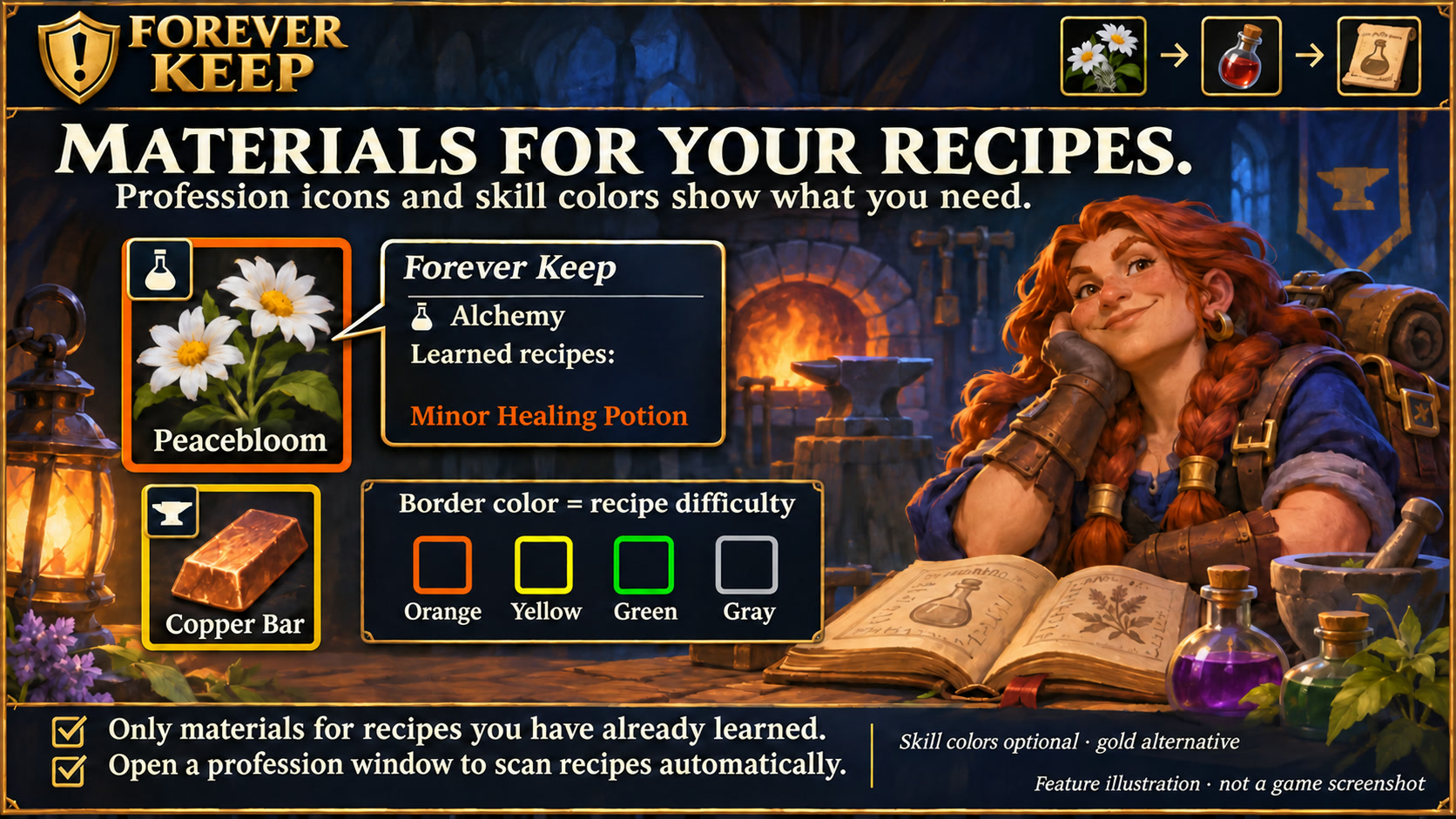
Identify profession materials with icons and optional recipe-difficulty border colors. Feature illustration, not a game screenshot.
Open full size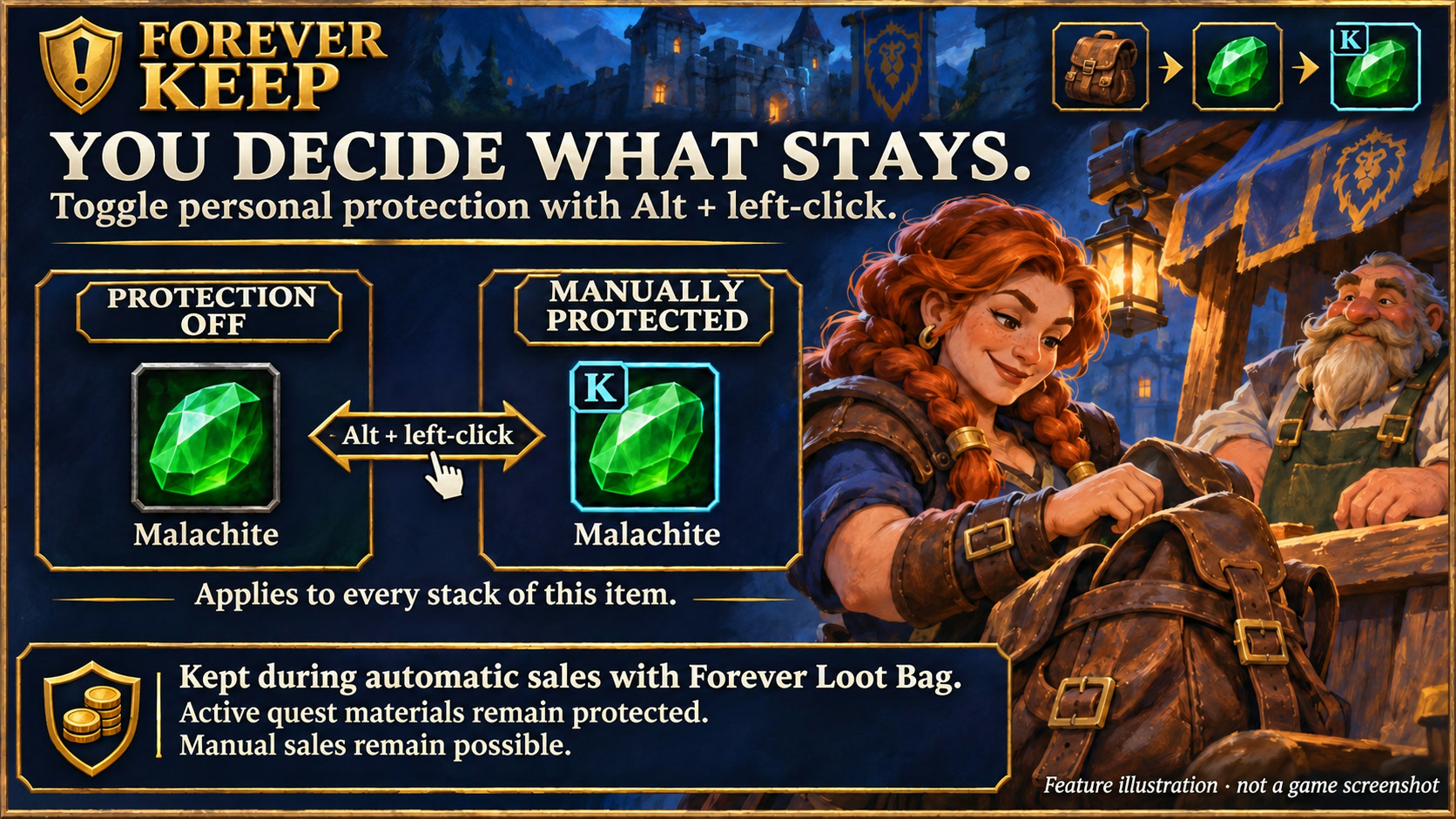
Toggle manual item protection with Alt + left-click and keep those items during Forever Loot Bag sales. Feature illustration, not a game screenshot.
Open full sizeGold quest markers and profession icons make requirements visible. Grey former quest materials are informational only.
Closed bags and bank windows no longer trigger repeated item-slot queries or unchanged Alt-click display updates. Quest and learned-recipe protection, including fresh checks before each Loot Bag sale, stays active.
Additional colours affect only borders by default. With skill colours off, gold remains the base colour.
Alt + left-click in inventory toggles manual and profession protection. Active quest items remain protected.
The Blizzard bank and bank bags show profession icons, skill colours, quest and manual protection. Tooltips list recipes learned by your current character.
Textured dark surfaces, subtle metal borders and clear selection states match the Forever collection. Search fields and details stay organised; compact action menus remain compact. Forever bar launchers stay frameless. Requires the current Forever Hub.
Follow the client language automatically, or select a language separately in each addon under Language and reload the UI. Missing translations fall back to English; item, quest and spell names stay in the client language. Requires Forever Hub 1.11.0 or later.
Yes. Forever Keep includes recognised materials for active quests even when they are not dedicated quest items. Learned profession recipes are captured automatically when the profession window opens; relevant ingredients get profession hints.
Forever Loot Bag respects this protection. Manual sales and other sale addons are not blocked. Alt + left-click toggles manual or profession protection; active quest requirements stay protected.
INSTALLATION & PUBLICATION
Release 1.6.7 for WoW Forever 1.60.1 is available on CurseForge. Download the addon and receive future updates there.
Open in-game: /fkeep or Forever Hub. Updated: 17 November 2026.