THE PROJECT
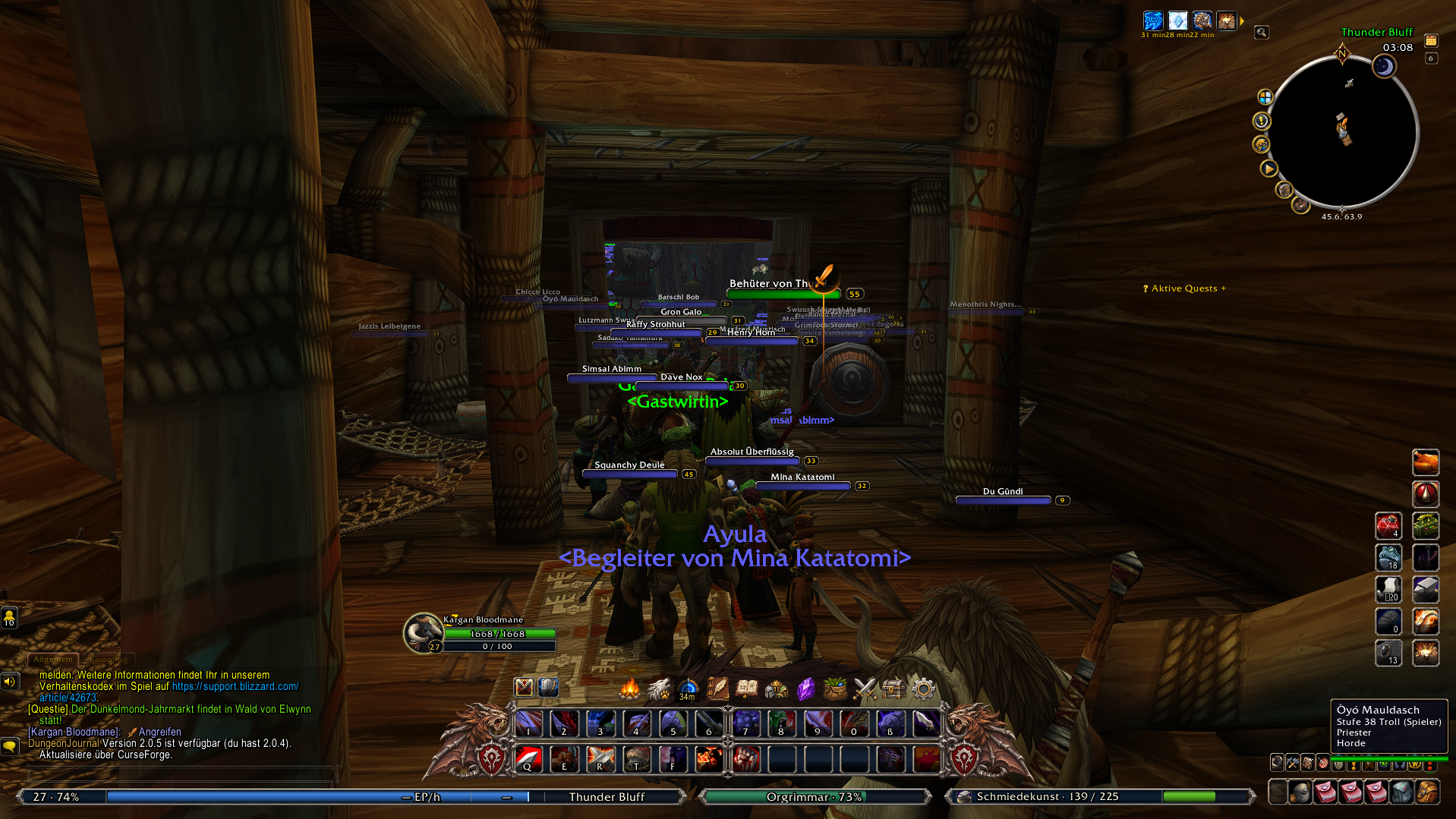
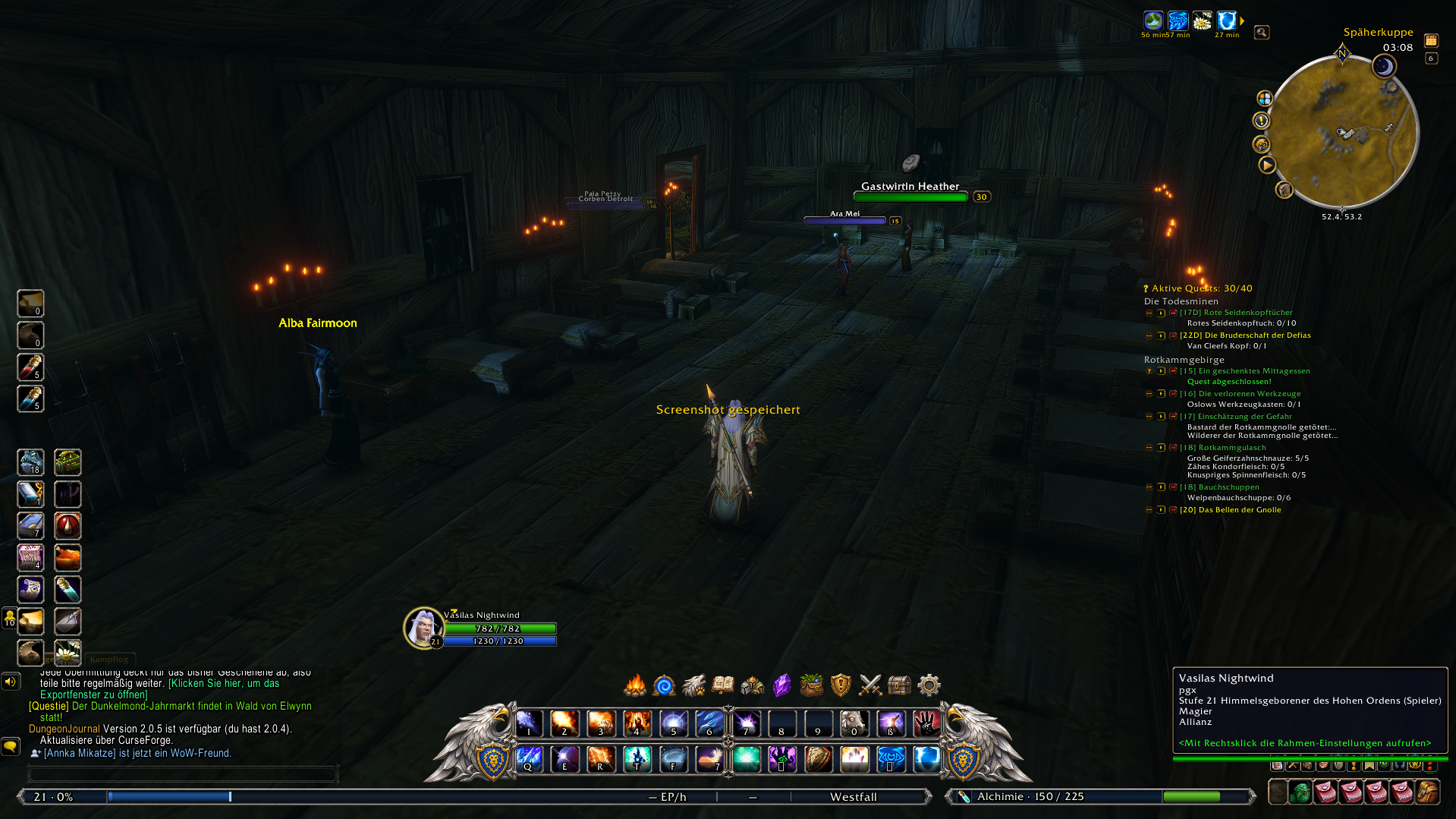
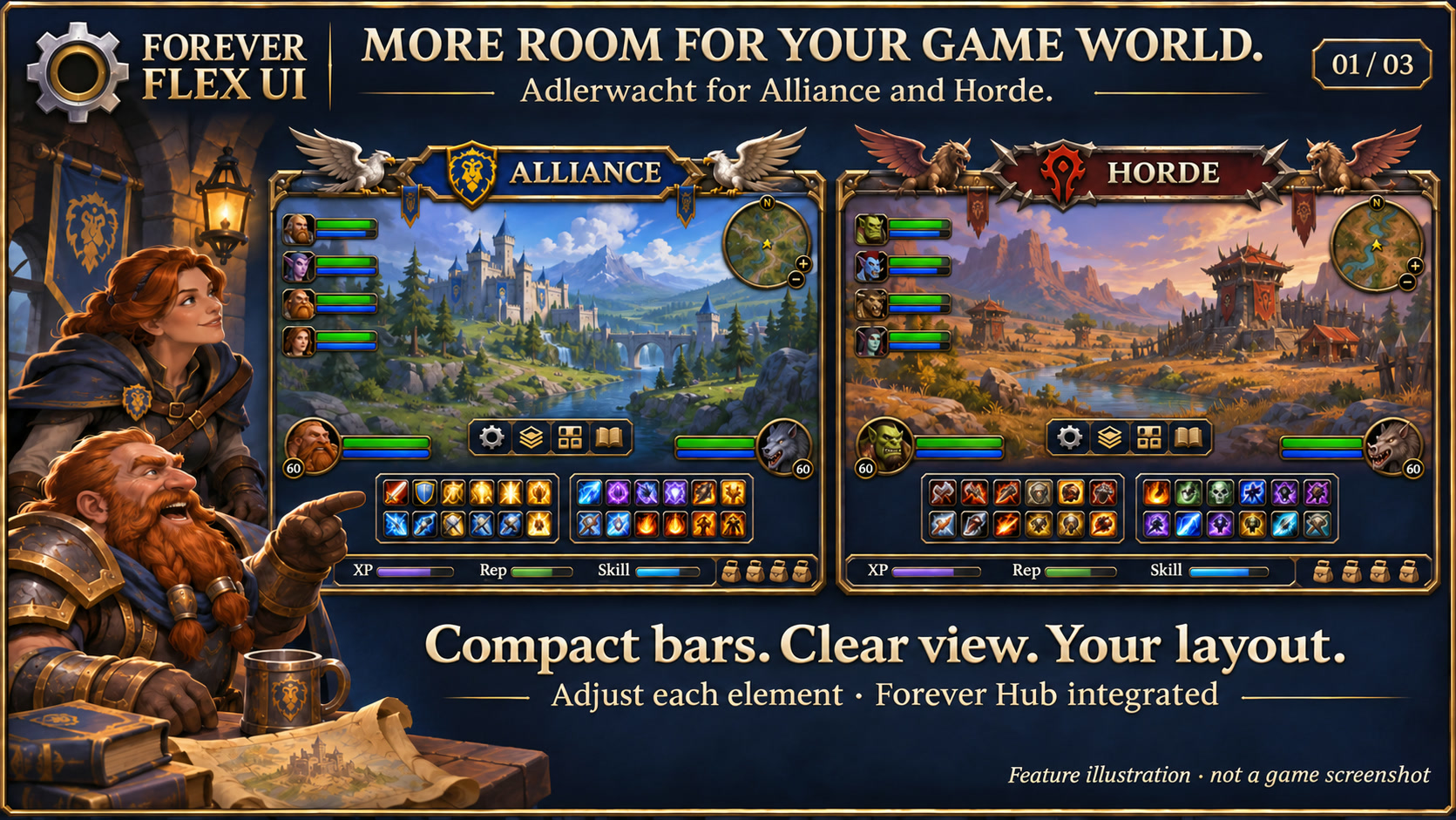
Forever Flex UI gives WoW Forever an Adlerwacht interface. Move, scale, show or hide supported elements individually and customise their extra information. Compact bars leave more space for the game world.
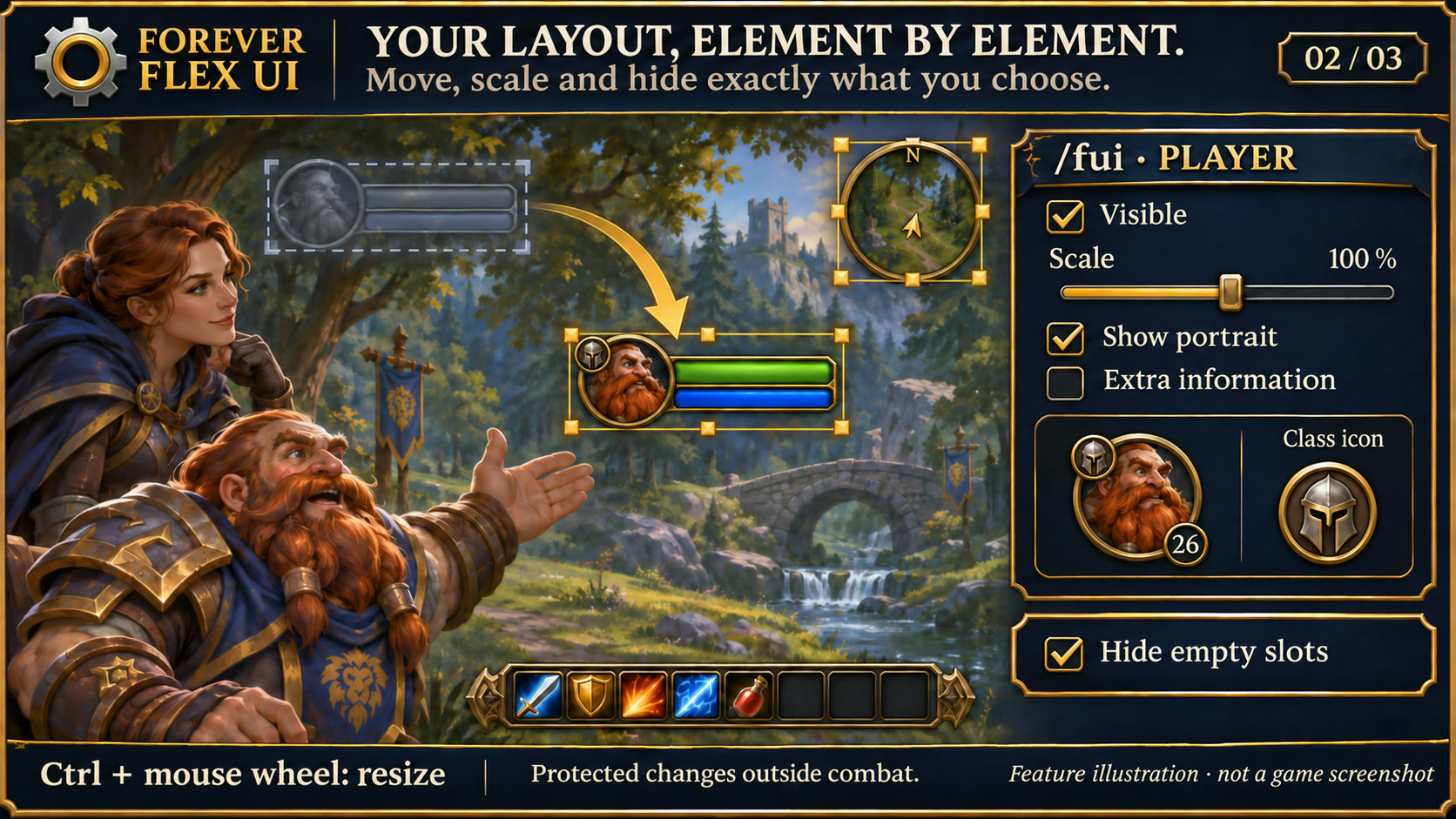
01Your layout, element by element
Set position, size, opacity and visibility separately, with options for portraits, names, health and resource values. Ctrl + mouse wheel scales outside combat. Saved settings also apply to windows created later and the Questie list.
02Incoming-heal preview
A translucent mint-green segment shows incoming healing on styled player, target, party and raid health bars. It follows the current health fill, stays inside the border and uses only healing data supplied by the client.
03Adlerwacht for both factions
Dimensional metal frames, compact health and progress bars, Alliance gryphons and Horde wind riders. Two central main bars with twelve slots each and a dynamic Forever bar.
04Race-specific ornaments
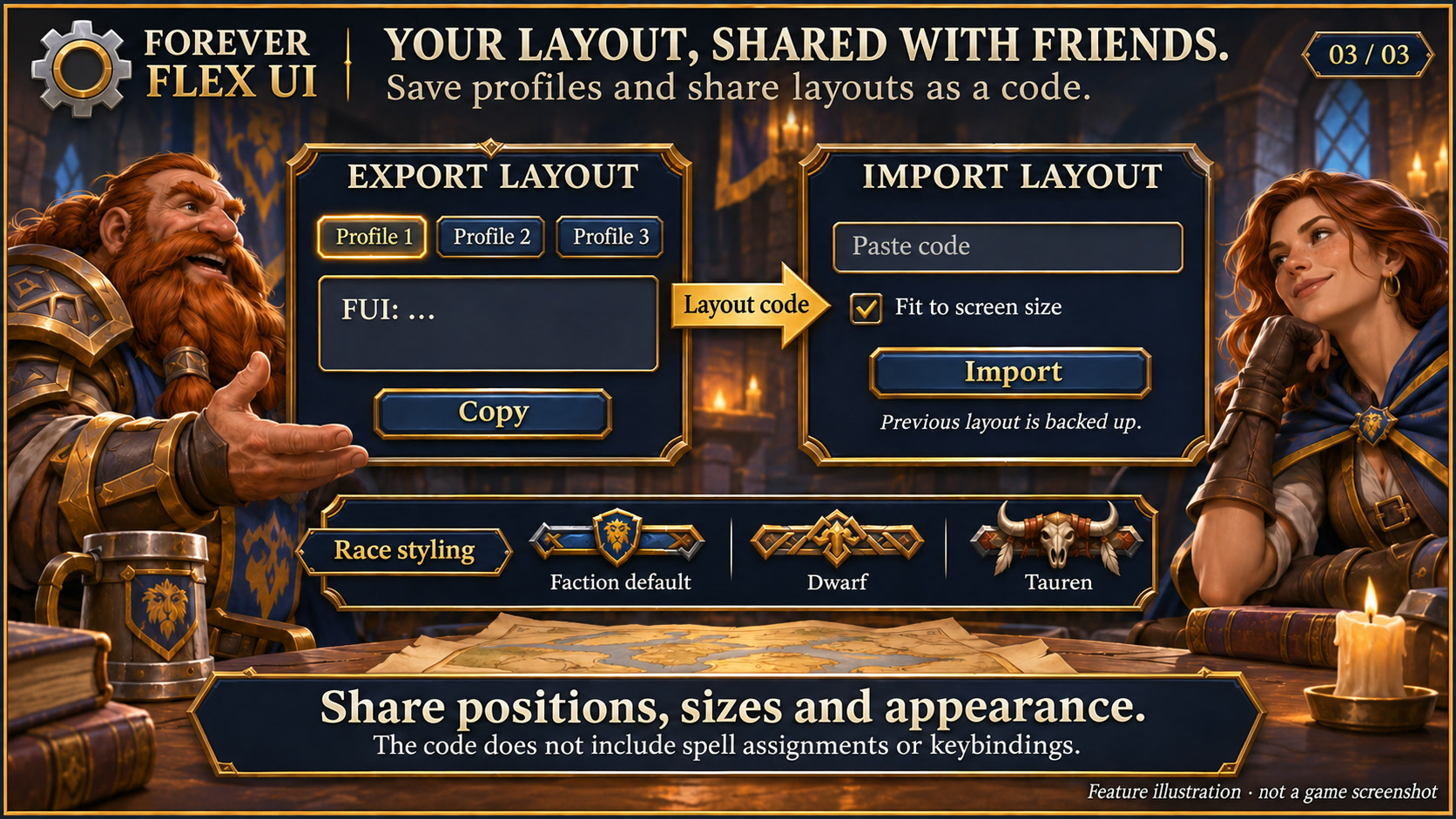
Ten additional pairs for orcs, trolls, undead, tauren, humans, dwarves, gnomes, night elves and Highborne of both factions. Choose race artwork manually, save it separately for Alliance and Horde and share it through profiles or layout codes. Existing faction artwork remains available.
05Progress without wasted space
XP with rested bonus and tooltip, optional reputation and profession progress beside the bags. XP/hour and time to level can be shown.
06Profiles and recovery
Three nameable account-wide profile slots with source character. Copy another of your characters' layouts independently and undo if needed. Layout export/import includes validation, rollback and adaptation to screen size.
07Classes and a compact quest list
Optional fixed Warrior bar across stance changes. Player and group class icons sit in the name row, with the level in a smooth circle at the portrait's lower left. Names, class and portrait display are configurable. The Questie list fits its content; long lists remain scrollable.
08Readable chat and names
Set each chat window's font size from 8 to 24 (default 13), with left alignment and multilingual fonts for Cyrillic names. Sizes are saved in profiles and layout exports.
09Party buffs and debuffs
Separate rows beside party bars, each independently toggleable. Adjust icon size and count per row; tooltips show aura details and additional entries.
010An unobstructed world map
Faction and race ornaments disappear with hidden action bars when the world map opens and return when it closes, including during combat.
011Shared menu design
Textured dark surfaces, subtle metal borders and clear selection states match the Forever collection. Search fields and details stay organised; compact action menus remain compact. Forever bar launchers stay frameless. Requires the current Forever Hub.
012Choose your language
Follow the client language automatically, or select a language separately in each addon under Language and reload the UI. Missing translations fall back to English; item, quest and spell names stay in the client language. Requires Forever Hub 1.11.0 or later.
013Room for inventory and loot
Side ornaments hide when they overlap open bags, loot or the bank, then return afterwards. Personal layout and combat rules are preserved.
014Targeted layout updates
Unchanged positions and unrelated addon loads no longer rebuild the UI. Placement repairs are separate from artwork; content and settings still refresh fully. Optional click casting is now in the separate Forever Heal package, currently in local testing.
INSTALLATION & PUBLICATION
Your next step.
Release 1.4.8 for WoW Forever 1.60.1 is still processing at CurseForge. The last confirmed approved version, 1.4.6, remains available.
Open in-game: /fui or Forever Hub. Updated: 17 November 2026.
Changelog & earlier versions ↗
New in version 1.4.8
- Keep the shared twelve-slot action page through all three warrior stances, including newly learned Berserker Stance. Retain the saved preference after temporary setup failures; actions and layout are preserved.
- Complete all 314 interface messages in this addon's expanded language catalog for French, Spanish, Italian, Portuguese, Russian, Korean, Simplified Chinese and Traditional Chinese, alongside English and German.
- Use the saved per-addon language choice after reload, including regional aliases. Game-provided names and protocol tokens remain unchanged.
- Only the selected static dictionary is allocated. No online translation, extra polling or timer is added.
- Performance sampling messages now follow the selected addon language too.
- Validation: Lua 5.1 regression and real-TOC language tests; format fields and saved language routing checked. Native-speaker visual review remains a separate in-game check.