Daniel Kowarek.

WOW ADDONS / CHANGELOG

Forever Hub.

All changes and previous versions of Forever Hub.

Version 1.11.4

  • Update checkbox ticks immediately while the pointer stays over the control. Selection and hover no longer share the same paint-cache state.
  • Keep checkbox and tile selection independent of coloured labels; clear transient hover, focus and pressed states when hiding a control.
  • Complete shared language labels and collection descriptions, including Doctor and Heal. This includes the earlier local-only 1.11.3 changes.
  • No new polling, frames or changed gameplay settings.
  • Validation: real menus across the suite, hovered on/off transitions, coloured labels, hide/reopen and allocation regression checks. The shared stance-bar behavior and Heal mouse bindings were confirmed by the user.

Version 1.11.2

  • Add the frameless Forever Heal launcher entry and group/combat categories. The new addon requires Forever Flex UI and Hub; uninstalled entries remain inactive.

Version 1.11.1

  • Add Forever Doctor to the alphabetical launcher collection and Interface category. The diagnostics menu is available only when the addon is installed and enabled. Existing launcher appearance, positions, settings and category ordering are preserved.

Version 1.11.0

  • 1.11.0 - 2026-11-16
  • Add a per-addon Language dropdown with automatic client detection and manual language selection. Choices are saved account-wide per addon.
  • Apply language overrides consistently through Forever Hub. A Reload UI button applies saved changes outside combat.
  • Show the active addon language and the detected client language for troubleshooting. Game-provided item, spell and quest names remain in the client language.
  • Use English when a translated addon label is unavailable. Existing game settings, positions and personal data are preserved.
  • Load language dictionaries once and resolve saved choices after SavedVariables become available. Requires updated addons for individual language selection.

Version 1.10.1

  • Refresh menus with dark textured panels, subtle metal borders and clear hover, selection, disabled and input-focus states.
  • Keep existing window sizes, positions, settings and actions. Launcher icons remain frameless.
  • Central opt-in menu renderer shared by the suite, including collection and launcher management. No new timers or UI-wide frame scans.
  • German:
  • Menus share the Dungeon Mates style: textured dark surfaces, subtle metal borders and clear selection, hover and input states.
  • Window sizes, positions, actions and frameless launchers are preserved.
  • Shared presentation for the collection, launcher management and suite options/tool windows. No additional timers or UI-wide scans.
  • Use the current Forever Hub (1.10.1 or later) for the shared menu appearance. WoW Forever 1.60.1 / interface 16001.
  • Validation: automated Lua 5.1 behavior/package checks and offline layout inspection. The refreshed menu appearance still needs an in-game visual check; no new live performance benchmark is claimed.
  • Also replaces separate native button texture pieces and NineSlice borders, adds custom check marks/close/scroll glyphs and pressed feedback. The regression mock now reproduces the previously missed native red button regions.

Version 1.10.0

  • Menus share the Dungeon Mates style: textured dark surfaces, subtle metal borders and clear selection, hover and input states.
  • Window sizes, positions, actions and frameless launchers are preserved.
  • Shared presentation for the collection, launcher management and suite options/tool windows. No additional timers or UI-wide scans.

Version 1.9.3

  • Use Dungeon Mates' own transparent dungeon-and-party icon in the Hub collection. The square Blizzard placeholder has been removed. Existing collection layout, scaling and visibility preferences are preserved.

Version 1.9.2

  • Forever Dungeon Mates added to the collection under Dungeons & Raids and
  • Social. Launch and options through the minimap menu and shared bar.
  • The new project is initially available only for local testing.

Version 1.9.1

  • All icons in the Forever bar use transparent backgrounds and no rectangular borders, including newly installed addons.
  • Hover feedback follows the icon silhouette instead of drawing a square highlight.
  • The collection now links to the new Forever Hunter project.

Version 1.9.0

  • The minimap collection menu now has a fixed-height paginated list with up to seven addons per page. Addons are sorted by their visible names. Previous/next buttons, page counts and mouse-wheel navigation keep larger collections usable.
  • Enable **Category view** to group addons under category headings and select a category filter. Addons with several purposes can appear in multiple filters: Forever Keep is included in Inventory, Quests and Professions. Each addon is listed once in the complete grouped view. View and filter persist per character.
  • Missing or disabled addons remain greyed out with their existing status and download behavior. Opening an addon or its options continues to work across pages. New menu labels are translated into the supported client languages. Includes the prepared local Forever Hunter entry, marked unpublished.
  • Automated tests cover pagination, category filters, empty lists, large catalogues and opening the correct addon after filtering. Final in-game menu verification is pending. Requires WoW Forever 1.60.1.

Version 1.8.5

  • Forever Hunter added to the collection as a local test version.
  • # Forever Hub 1.8.4
  • Add the public Forever Flex UI project to the collection, including its options shortcut and download link.
  • Replace the local UI test label with the public project name. Existing dock assignments and settings are preserved.
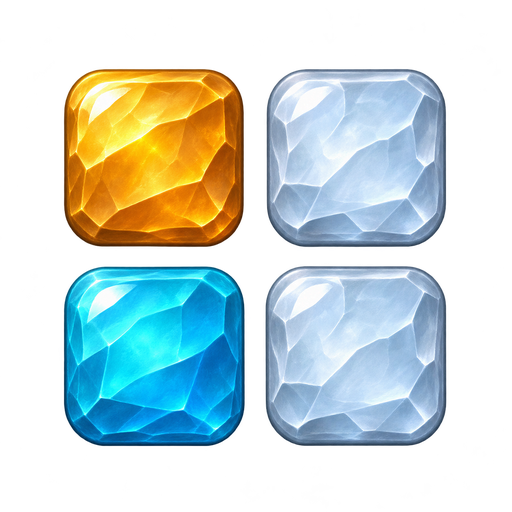
  • Update the Hub logo to four sculpted fantasy gems, retaining the familiar four-tile arrangement and native round minimap border.
  • Includes the recent dock integration updates used by Forever Flex UI.
  • Requires WoW Forever 1.60.1. No additional dependency. Existing icon positions and sizes are preserved.

Version 1.8.4

  • Add the public Forever Flex UI project to the collection, including its options shortcut and download link.
  • Replace the local UI test label with the public project name. Existing dock assignments and settings are preserved.
  • Update the Hub logo to four sculpted fantasy gems, retaining the familiar four-tile arrangement and native round minimap border.
  • Includes the recent dock integration updates used by Forever Flex UI.
  • Requires WoW Forever 1.60.1. No additional dependency. Existing icon positions and sizes are preserved.

Version 1.8.3

First publication of this version.

Version 1.8.0

  • Forever Hub 1.8.0
  • Document Forever Hub as the required core launcher for the collection. Hub remains independently loadable.
  • Validation: Lua 5.1 syntax, automated behavior and package/dependency checks. In-game confirmation of this update is pending.
  • Add automatic client-language UI selection through Forever Hub: German, English, French, Spanish, Italian, Brazilian Portuguese, Russian, Korean, Simplified and Traditional Chinese. Regional English/Spanish/Portuguese clients share their language pack.
  • Use client-native class, role and profession names where available. Keep commands, saved settings, item IDs and player text unchanged.
  • Fit long settings-button labels to their width; full text remains available on hover when clipped.
  • Move the minimap reset button to a wider 296-pixel position beside the start-icon button.
  • Validation: Lua 5.1, all configured client locales and English fallback, addon initialization/options, recipe capture and vendor-protection regressions. In-game visual and native-language review remains pending. No runtime translation service or network upload.
  • Forever Storage integration and localized stock/quest tooltip text for all supported client languages.
  • Addon-authored tooltip information identifies its source addon.
  • Launcher support for Forever Storage in the shared Forever collection.
  • Localize completed-quest reminders for all supported client locales.
  • Add Forever Companions to the Hub collection. Keep translations for completed-quest reminders.
  • Add one character-wide size setting for all large Forever launcher icons: 24–64 pixels in 4-pixel steps, default 48 pixels.
  • Resize icon artwork, click areas, dock spacing, row count and bar dimensions together. The minimap icon and menu contents keep their own sizes.
  • Set the size directly in Forever Hub or with minus/plus/default controls under Large launcher icons. Changes during combat apply after combat ends; detached icons use the same size.
  • Compatible with existing addons using the shared dock; no synchronized update of every addon is required.
  • Forever Gather is now available in the Hub with installation status and access to its options. Existing icon size preferences are preserved.
  • Adds Forever Contacts to the collection with status, launcher and options access. Existing launcher size and layout preferences are preserved.
  • Add confirmed CurseForge project links for Storage, Companions, Forever Gather Highlight and Forever Contacts Book.

Version 1.7.0

First publication of this version.

Version 1.5.0

  • Add Forever Companions to the Hub collection. Keep translations for completed-quest reminders.

Version 1.4.2

  • Localize completed-quest reminders for all supported client locales.

Version 1.4.1

  • Forever Storage integration and localized stock/quest tooltip text for all supported client languages.
  • Addon-authored tooltip information identifies its source addon.
  • Launcher support for Forever Storage in the shared Forever collection.

Version 1.4.0

  • Add automatic client-language UI selection through Forever Hub: German, English, French, Spanish, Italian, Brazilian Portuguese, Russian, Korean, Simplified and Traditional Chinese. Regional English/Spanish/Portuguese clients share their language pack.
  • Use client-native class, role and profession names where available. Keep commands, saved settings, item IDs and player text unchanged.
  • Fit long settings-button labels to their width; full text remains available on hover when clipped.
  • Move the minimap reset button to a wider 296-pixel position beside the start-icon button.
  • Validation: Lua 5.1, all configured client locales and English fallback, addon initialization/options, recipe capture and vendor-protection regressions. In-game visual and native-language review remains pending. No runtime translation service or network upload.

Version 1.3.1

  • Document Forever Hub as the required core launcher for the collection. Hub remains independently loadable.
  • Validation: Lua 5.1 syntax, automated behavior and package/dependency checks. In-game confirmation of this update is pending.

Version 1.3.0

  • For WoW Forever 1.60.1. Existing settings and discoveries are preserved.
  • Shared icon bar: existing blue/gold as the Alliance style and new red/gold for the Horde.
  • Defaults to the character's faction. In /ficons, Bar style switches between Automatic, Alliance and Horde.
  • Manual choices are saved per character; visibility, positions and docking are preserved.
  • Validation: Lua 5.1 syntax for all ten addons, simulated collection/source/map workflows, rare regressions, faction defaults, manual selection, load order and release package checks passed. No in-game test of these new features.
  • After installation, use /reload; if updating Forever Finds at the same time, restart WoW completely.

Version 1.2.0

  • Large launcher icon (48 pixels) for opening the addon.
  • Right-click permanently hides the icon; /ficons or the addon command followed by icon shows it again.
  • Alt-drag moves the icon; icons can dock to the shared Forever bar.
  • Existing positions and settings are preserved. Hiding during combat is deferred until combat ends.
  • Added a large launcher with persistent right-click hiding, per-addon restoration and a shared icon manager (/ficons).
  • Preserves saved positions and settings; protected layout changes wait until combat ends.
  • Missing addons get a Download button with a selected CurseForge link to copy. Disabled addons are still identified separately.
  • Missing addons now offer a Download button with a copyable official CurseForge URL. Disabled addons are not treated as missing.

Version 1.1.0

  • Forever PvP added to the collection. Crew description extended to cover guilds. Display names use spaces; internal addon names are unchanged. PvP's own minimap icon is hidden when a supported Hub is present.

Version 1.0.0

  • First release.
← Changelogs for other addons