One workspace, many projects
Select project folders and subfolders individually in the expandable folder tree. Choose favourites when adding projects. Project status, your own tasks and notes help you pick up where you left off, even without Git.
Windows application
Your daily overview of active projects, open tasks and plans that have been left behind for too long.
One-time purchase · Installation and updates through the Store
THE PROJECT
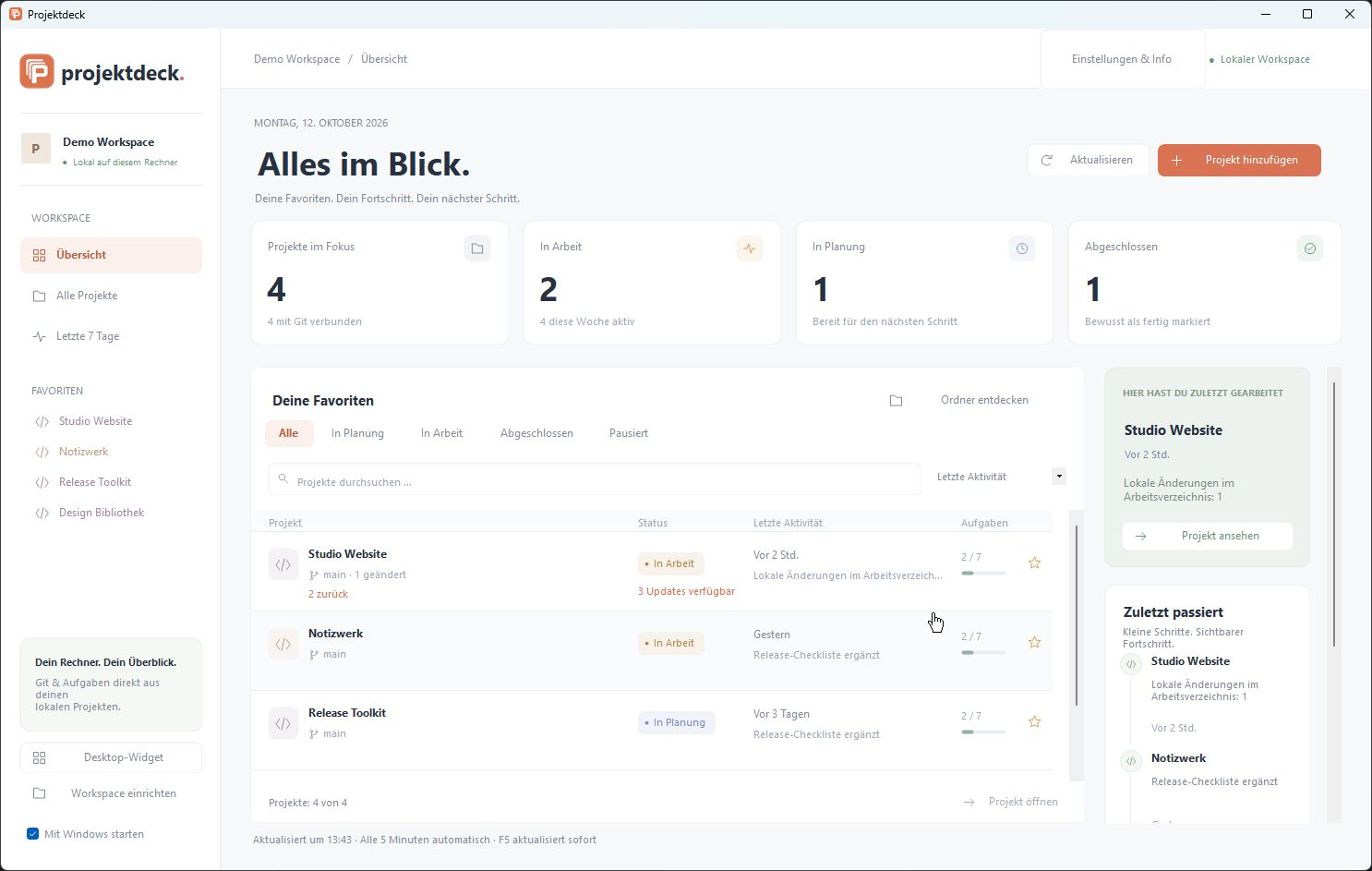
Many projects at once, and eventually you lose track of where to continue. Projektdeck brings local development projects into a native Windows dashboard: recently edited projects, next steps and forgotten work. Favourites keep the home screen focused; all other projects remain accessible in a separate view.
THE WINDOWS APP IN USE
Original screenshots from version 1.6 with fictional example projects. Open the images at full size to see the details.
Favourites, recent activity, open tasks, commits behind the remote and available updates in the project overview.
Open full size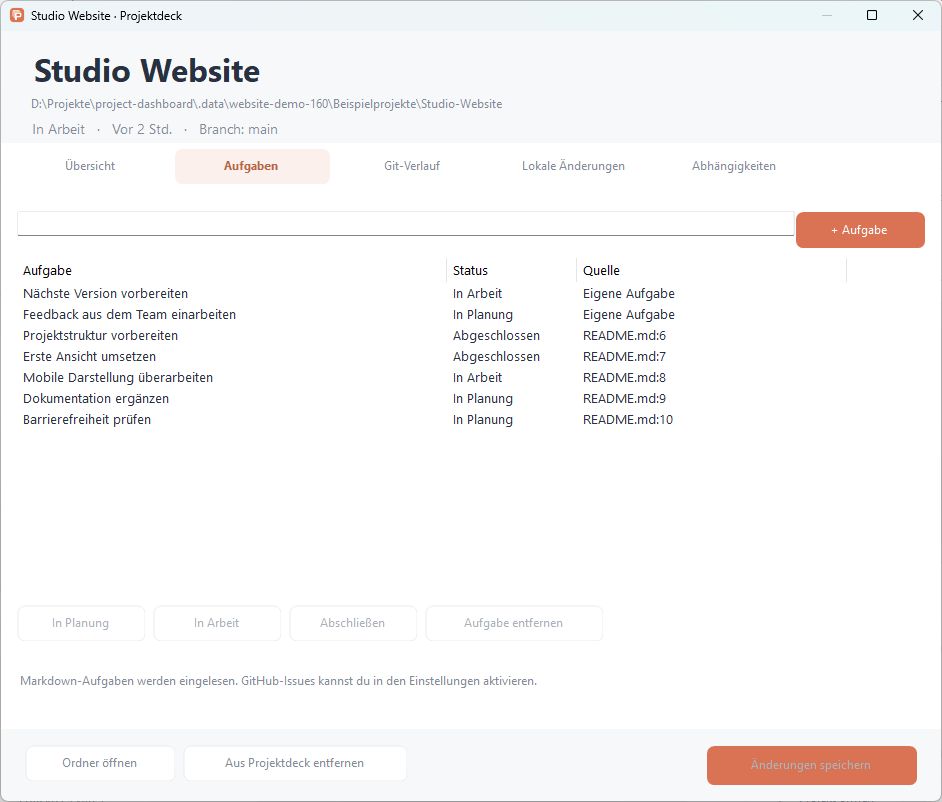
Your own tasks and imported Markdown checklists with status and source information.
Open full size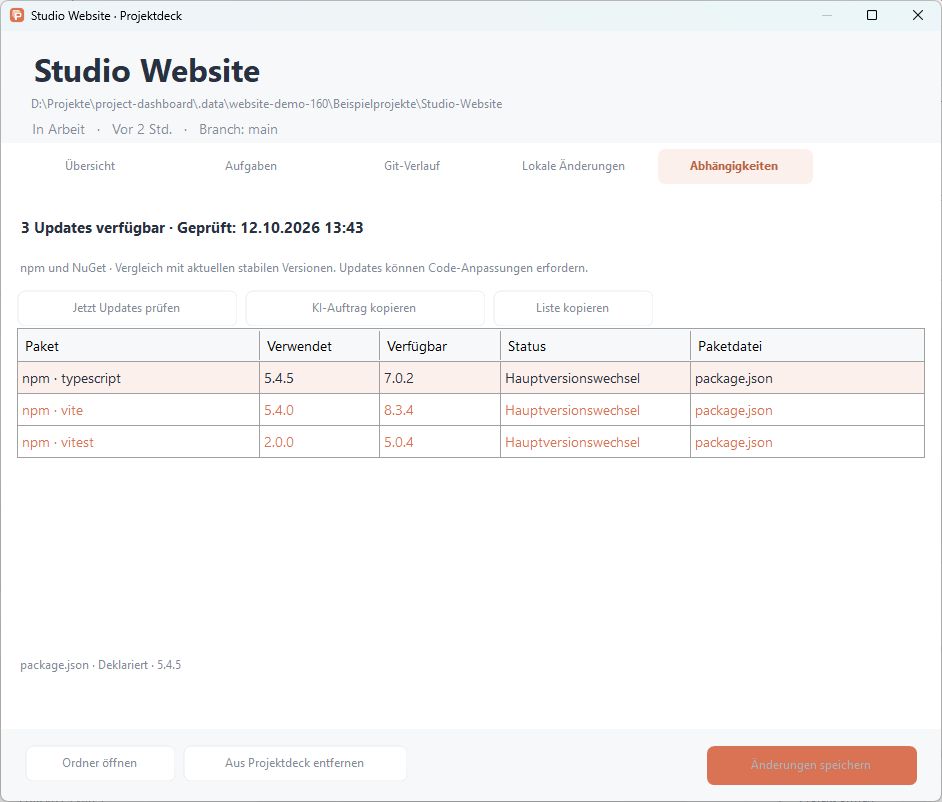
Compare installed and available versions and copy an AI task for the update.
Open full size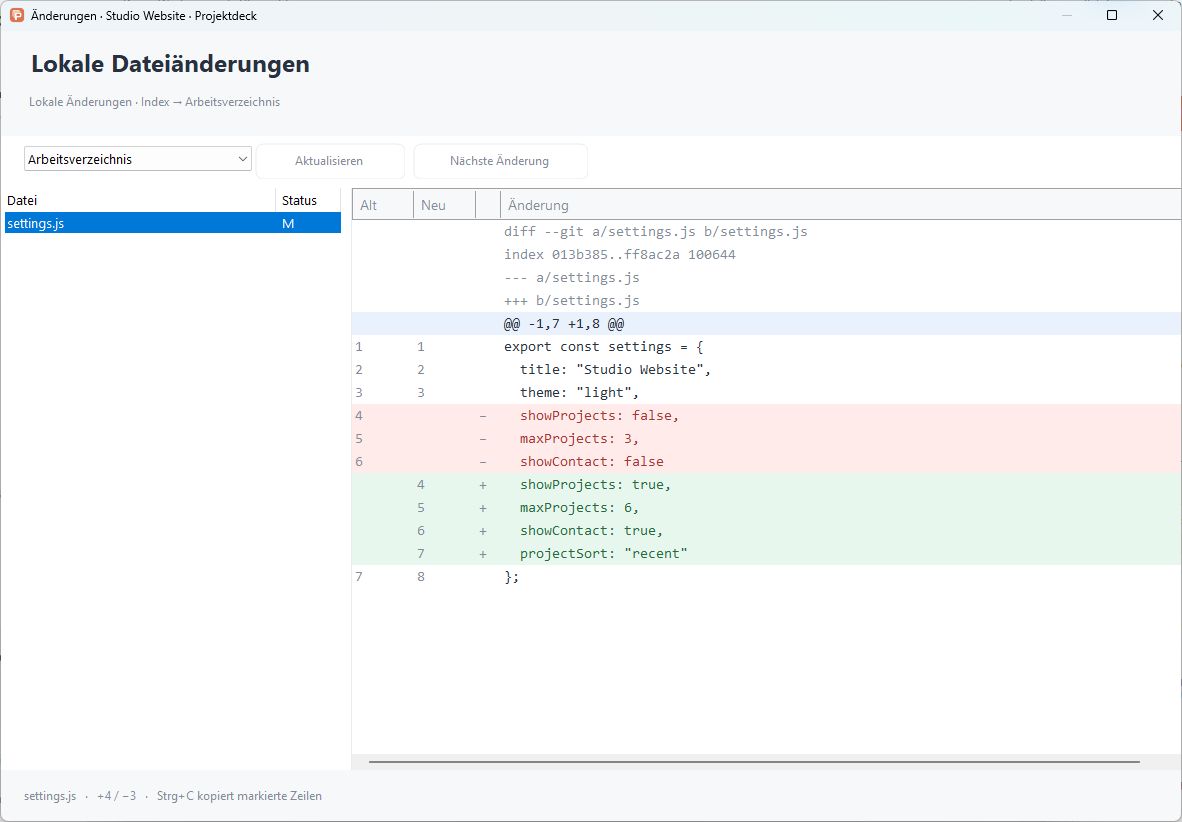
Local file changes with old and new line numbers and colour-coded additions and removals.
Open full sizeSelect project folders and subfolders individually in the expandable folder tree. Choose favourites when adding projects. Project status, your own tasks and notes help you pick up where you left off, even without Git.
Markdown checkboxes, open lists and task tables complement your own tasks, with optional GitHub issues. Clear duplicates are merged while retaining their sources. File tasks can be linked to an issue or hidden; the original files and issues remain unchanged.
The optional daily npm and NuGet check shows current and new versions, including major upgrades. In the detail view, copy an AI task listing affected packages or update them yourself. Projektdeck does not install dependencies automatically.
Recent activity and Last 7 days show which projects are active. A movable desktop widget displays favourites or recently active projects; size, position and Always on top are saved.
Branches, local changes and recent commits show the current state. Remote checks report commits ahead and behind. Double-click to open file comparisons with line numbers and highlighted changes. You still run pull, merge and push yourself.
C# and Windows Forms provide the Windows interface; a bundled Node.js runtime analyses local projects. Projektdeck needs no browser setup or separate account. Data and backups are stored separately in your Windows user profile. The local analysis service connection is authenticated for each session.
Choose German, English, French, Spanish, Italian or Turkish in settings. Distribution and approved app updates are exclusively through the Microsoft Store. The update button opens Store update management.